> For the complete documentation index, see [llms.txt](https://docs.spara.com/llms.txt). Markdown versions of documentation pages are available by appending `.md` to page URLs; this page is available as [Markdown](https://docs.spara.com/build/channels.md).
# Channels
The channels an Agent engages buyers through, and the anatomy shared by all of them.
A **channel** is one way an [Agents](/build/agents.md) engages buyers. Spara offers five:
* [Chat](/build/channels/chat.md): website chat that qualifies visitors, surfaces content, and books meetings in real time.
* [Email](/build/channels/email.md): automated reply handling and outreach cadences.
* [Phone](/build/channels/phone.md): incoming and outgoing AI phone calls.
* [SMS](/build/channels/sms.md): text-message conversations.
* [Product Demo](/build/channels/product-demo.md): a live, voice-narrated product walkthrough with synchronized visuals.
An Agent can have several channels (even several of the same type), each activated by its own trigger. Together they let one Agent meet a buyer wherever they are.
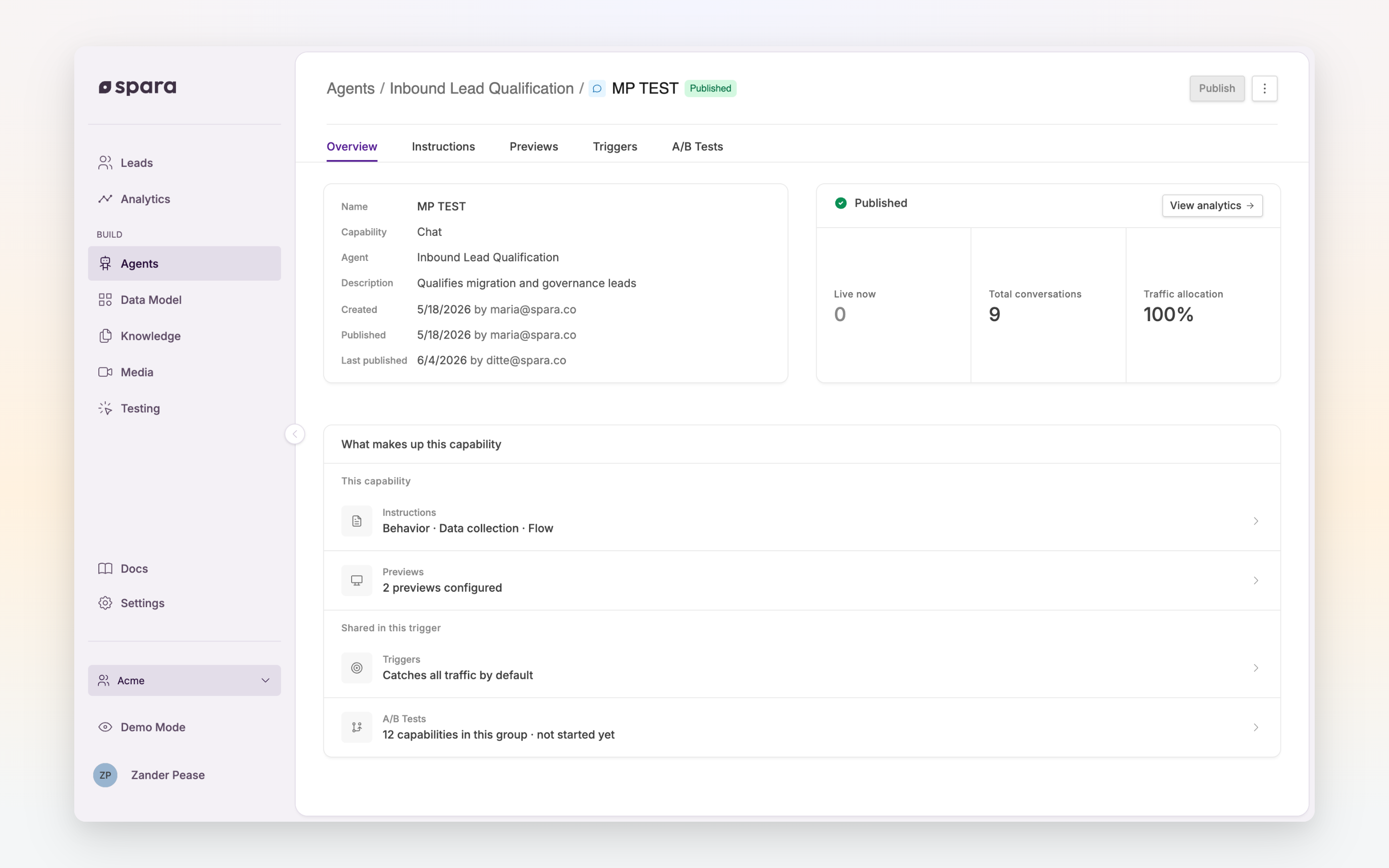
A channel's Overview tab summarizes what makes it up.
## How channels are built
However different the channels look to a buyer, every channel is configured and run the same way: the same editor, the same draft-and-publish lifecycle, the same testing and optimization tools. Those shared building blocks are covered under [Configuring Channels](/build/channels/configuring.md):
* [AI Instructions](/build/channels/configuring/ai-instructions.md): the prompt that defines how a channel behaves.
* [Abilities](/build/channels/configuring/abilities.md): tools it can use mid-conversation.
* [Testing](/build/channels/configuring/testing.md): validate a draft before going live.
* [Ask Spara](/platform/ask-spara.md): draft, analyze, and rewrite instructions from the editor.
* [Saving & Publishing](/build/channels/configuring/saving-and-publishing.md): drafts and the single live version.
* [A/B Testing](/build/channels/configuring/a-b-testing.md): split traffic across variants to optimize conversion.
## Starting criteria
Every channel has a **trigger** that determines when it activates: a Chat channel might appear only on certain pages, a Phone channel answers a specific phone number, an Email channel replies from a connected inbox. Triggers are also how Spara groups channels for [A/B Testing](/build/channels/configuring/a-b-testing.md): variants that share a trigger split its traffic.
---
# Agent Instructions
This documentation is published with GitBook. GitBook is the documentation platform designed so that both humans and AI agents can read, navigate, and reason over technical content effectively. Learn more at gitbook.com.
## Querying This Documentation
If you need additional information that is not directly available in this page, you can query the documentation by asking a question.
Perform an HTTP GET request on the following URL with the `ask` and `goal` query parameters:
```
GET https://docs.spara.com/build/channels.md?ask=&goal=
```
`ask` is the immediate question: it should be specific, self-contained, and written in natural language.
`goal` is what the user is ultimately trying to achieve, the reason they need the answer. Sharing it helps GitBook give you a better, more relevant answer. A goal is most helpful when it describes the outcome the user wants rather than restating the question. For example, with `ask=how do I create an API token`, a goal like `automate deployments from our CI pipeline` lets GitBook tailor the answer to that use case.
The response will contain a direct answer to the question and relevant excerpts and sources from the documentation.
Use this mechanism when the answer is not explicitly present in the current page, you need clarification or additional context, or you want to retrieve related documentation sections.