> For the complete documentation index, see [llms.txt](https://docs.spara.com/llms.txt). Markdown versions of documentation pages are available by appending `.md` to page URLs; this page is available as [Markdown](https://docs.spara.com/build/channels/configuring/abilities.md).
# Abilities
Tools channels can call during a conversation: calendars, transfers, media, email, and more.
**Abilities** are tools a channel can invoke during a live conversation. While [AI Instructions](https://docs.spara.com/build/channels/configuring/ai-instructions.md) define what a channel says, abilities define what it can *do*: show a calendar, transfer a call, surface a video, send an email, or call an external API.
Not every channel supports abilities. [Chat](https://docs.spara.com/build/channels/chat.md) and [Phone](https://docs.spara.com/build/channels/phone.md) have the richest toolsets, while [Email](https://docs.spara.com/build/channels/email.md) and [SMS](https://docs.spara.com/build/channels/sms.md) operate on static content and do not have real-time tool access.
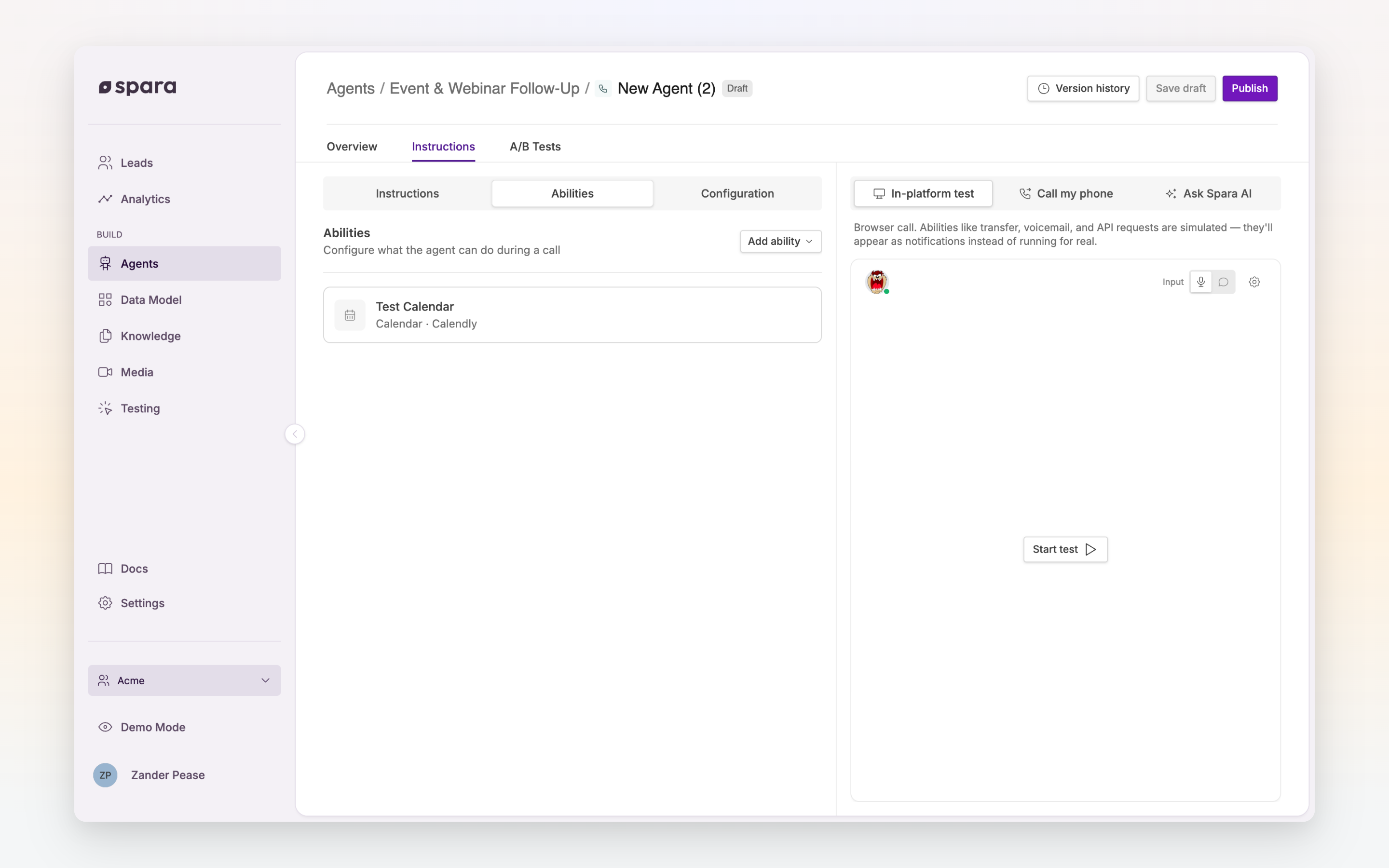
Abilities are configured on the **Abilities** tab of a channel's editor.
The Abilities tab, where you configure what a channel can do during a conversation.
## Abilities by channel
| Ability | Chat | Phone | Email | SMS |
| ------------------------------ | :--: | :---: | :---: | :-: |
| Show calendar | ✅ | ✅ | No | No |
| Show media (video, PDF, image) | ✅ | No | No | No |
| Send email | ✅ | No | No | No |
| Transfer (cold or warm) | No | ✅ | No | No |
| API request | No | ✅ | No | No |
***
## Chat abilities
The Chat channel can show calendars, surface media (video, PDF, image), and send emails during a live conversation. Calendar booking is enabled by default and can be turned off per channel on its Settings tab; media display and email sending are opt-in.
See [Chat](https://docs.spara.com/build/channels/chat.md) for setup instructions.
***
## Phone abilities
The Phone channel supports calendar booking, call transfers (cold and warm), and external API requests, all without leaving the phone call.
Phone abilities are configured on the **Abilities** tab.
See [Phone](https://docs.spara.com/build/channels/phone.md) for setup instructions.
***
## FAQ
### How does a channel decide when to use an ability?
Channels use their [AI Instructions](https://docs.spara.com/build/channels/configuring/ai-instructions.md) as the primary guide. You specify the conditions under which each tool should be used, such as "show the calendar when the lead is ready to book" or "transfer to sales when the lead is qualified and asking to speak with someone." The model reasons about whether those conditions are met at each point in the conversation.
### Can I give one Chat channel multiple calendars?
Yes. Upload each calendar as a separate asset, give them distinct names, and write instructions that specify which calendar to use for which scenario (e.g., "use the Sales calendar for prospects, the Support calendar for existing customers").
### Can a Phone channel transfer to a specific rep by name?
Yes. Configure multiple named transfer destinations in the Abilities tab and instruct it on which destination to use in which context.
---
# Agent Instructions
This documentation is published with GitBook. GitBook is the documentation platform designed so that both humans and AI agents can read, navigate, and reason over technical content effectively. Learn more at gitbook.com.
## Querying This Documentation
If you need additional information that is not directly available in this page, you can query the documentation by asking a question.
Perform an HTTP GET request on the following URL with the `ask` and `goal` query parameters:
```
GET https://docs.spara.com/build/channels/configuring/abilities.md?ask=&goal=
```
`ask` is the immediate question: it should be specific, self-contained, and written in natural language.
`goal` is what the user is ultimately trying to achieve, the reason they need the answer. Sharing it helps GitBook give you a better, more relevant answer. A goal is most helpful when it describes the outcome the user wants rather than restating the question. For example, with `ask=how do I create an API token`, a goal like `automate deployments from our CI pipeline` lets GitBook tailor the answer to that use case.
The response will contain a direct answer to the question and relevant excerpts and sources from the documentation.
Use this mechanism when the answer is not explicitly present in the current page, you need clarification or additional context, or you want to retrieve related documentation sections.