> For the complete documentation index, see [llms.txt](https://docs.spara.com/llms.txt). Markdown versions of documentation pages are available by appending `.md` to page URLs; this page is available as [Markdown](https://docs.spara.com/build/workflows/steps/api.md).
# API Step
Make an HTTP request to an external system and extract data from the response.
The **API** step makes an HTTP request to any external endpoint and optionally extracts data from the response into lead fields for use in downstream steps.
An API step runs once per lead, per workflow. If you need a continuous stream of every event on a lead instead, see [https://docs.spara.com/guides/webhook-web-api-or-workflow-api-step](https://docs.spara.com/guides/webhook-web-api-or-workflow-api-step "mention").
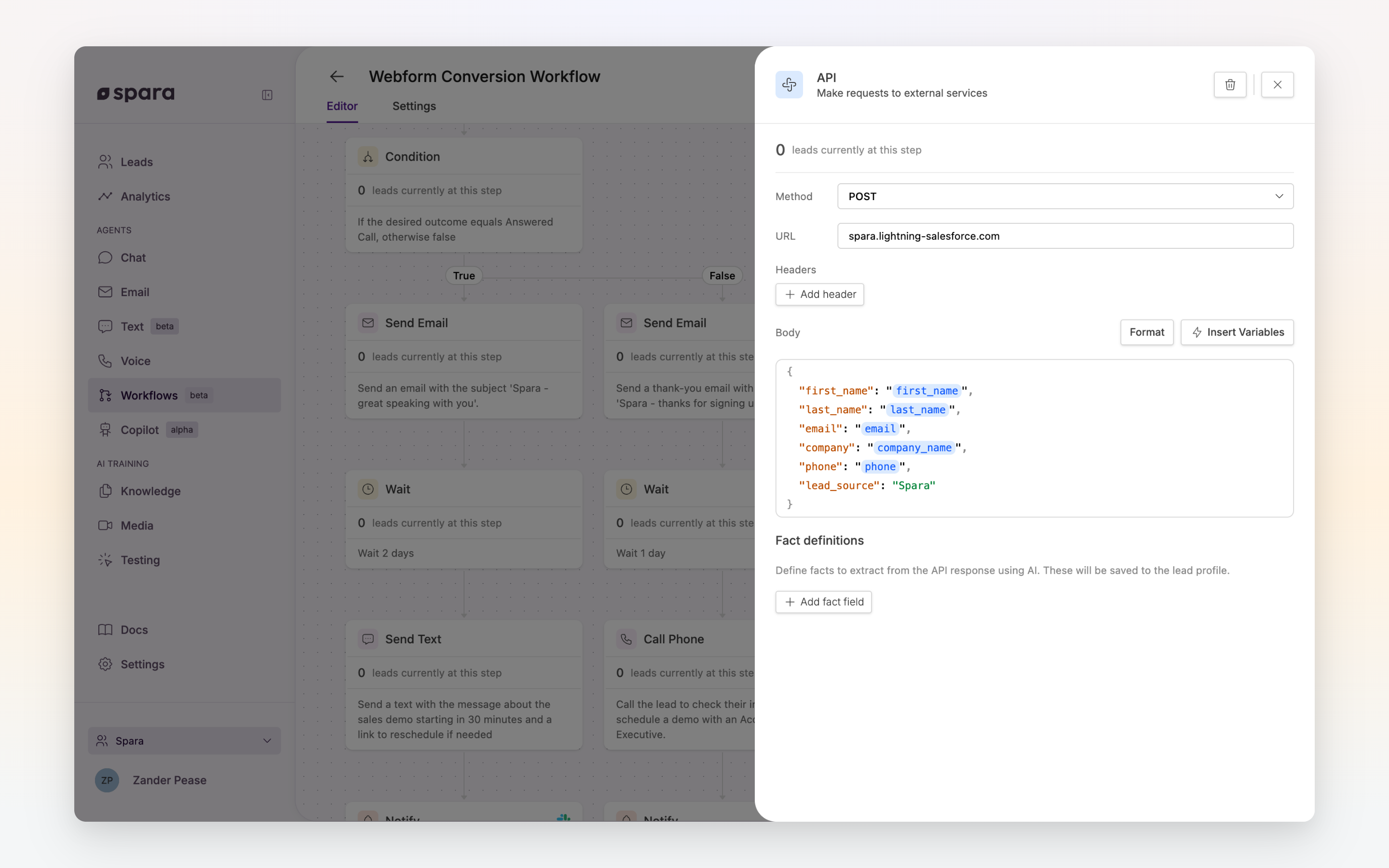
The API step configuration panel with method, URL, JSON body, and field extraction.
## Configuration
### Method and URL
Select the HTTP method (**GET**, **POST**, or **PUT**) and enter the full endpoint URL.
The URL supports variables, so you can dynamically construct URLs using lead data. For example:
```
https://api.example.com/enrich?email={{ email }}
```
### Authentication
Use the **Authentication** section to send an API key or token with the request without exposing it to other users. Choose how the credential is sent:
* **Bearer token** — sent as `Authorization: Bearer `
* **Custom header** — sent under a header name you choose (e.g., `X-API-Key`)
Then select a **secret** from your organization's secrets library, or choose **+ Create new secret** to add one without leaving the workflow builder.
Secrets are encrypted, and their values can never be viewed after saving — in the workflow builder they appear masked (e.g., `••••ab12`). You can manage secrets (rename, replace a value, or delete) under **Settings → API & Webhooks → Secrets**.
{% hint style="success" %}
**Security:** Always use the Authentication section for API keys and tokens. Values placed in plain headers are visible to anyone who can edit the workflow.
{% endhint %}
### Headers
Add additional request headers as key/value pairs — for example, `Content-Type: application/json`.
Click **Add header** to add rows and the trash icon to remove them.
### Body
For **POST** and **PUT** requests, enter the request body as JSON. The editor provides:
* **Syntax highlighting**: JSON keys, strings, and values are color-coded
* **Inline validation**: errors are underlined with a description
* **Format button**: auto-formats and pretty-prints your JSON
The body also supports variables via the **Insert menu** (⚡). For example:
```json
{
"email": "{{ email }}",
"company": "{{ company_name }}",
"source": "spara-workflow"
}
```
### Field Extraction
After the API call completes, Spara can extract values from the response and save them as lead fields. These extracted fields are then available as workflow-scoped variables in downstream steps.
Add one or more **Fields**:
| Field | Description |
| --------------- | ---------------------------------------------------------------------------- |
| **Name** | The field name (e.g., `intent_score`). Use snake\_case. |
| **Description** | Tell the AI what this field represents and where to find it in the response. |
Spara uses the description to intelligently extract the correct value from the API response, even if the response structure is nested or complex.
## Example: Enrich a Lead
```
POST https://api.clearbit.com/v1/people/find
Authentication: Bearer token → secret "Clearbit API key"
Body:
{
"email": "{{ email }}"
}
Field Extraction:
- Name: job_seniority
Description: The lead's seniority level from the "seniority" field in the response
- Name: linkedin_url
Description: The lead's LinkedIn profile URL from "linkedin.handle"
```
Downstream steps can then use `{{ job_seniority }}` and `{{ linkedin_url }}` in their content.
---
# Agent Instructions
This documentation is published with GitBook. GitBook is the documentation platform designed so that both humans and AI agents can read, navigate, and reason over technical content effectively. Learn more at gitbook.com.
## Querying This Documentation
If you need additional information that is not directly available in this page, you can query the documentation dynamically by asking a question.
Perform an HTTP GET request on the current page URL with the `ask` query parameter, and the optional `goal` query parameter:
```
GET https://docs.spara.com/build/workflows/steps/api.md?ask=&goal=
```
`ask` is the immediate question: it should be specific, self-contained, and written in natural language.
`goal` is optional and describes the broader end goal you are ultimately trying to accomplish on behalf of the user. GitBook uses it to tailor the answer towards what is most useful for that goal.
The response will contain a direct answer to the question and relevant excerpts and sources from the documentation.
Use this mechanism when the answer is not explicitly present in the current page, you need clarification or additional context, or you want to retrieve related documentation sections.