> For the complete documentation index, see [llms.txt](https://docs.spara.com/llms.txt). Markdown versions of documentation pages are available by appending `.md` to page URLs; this page is available as [Markdown](https://docs.spara.com/build/workflows/steps/call-phone.md).
# Call Phone Step
Have a Voice agent call a lead's phone number.
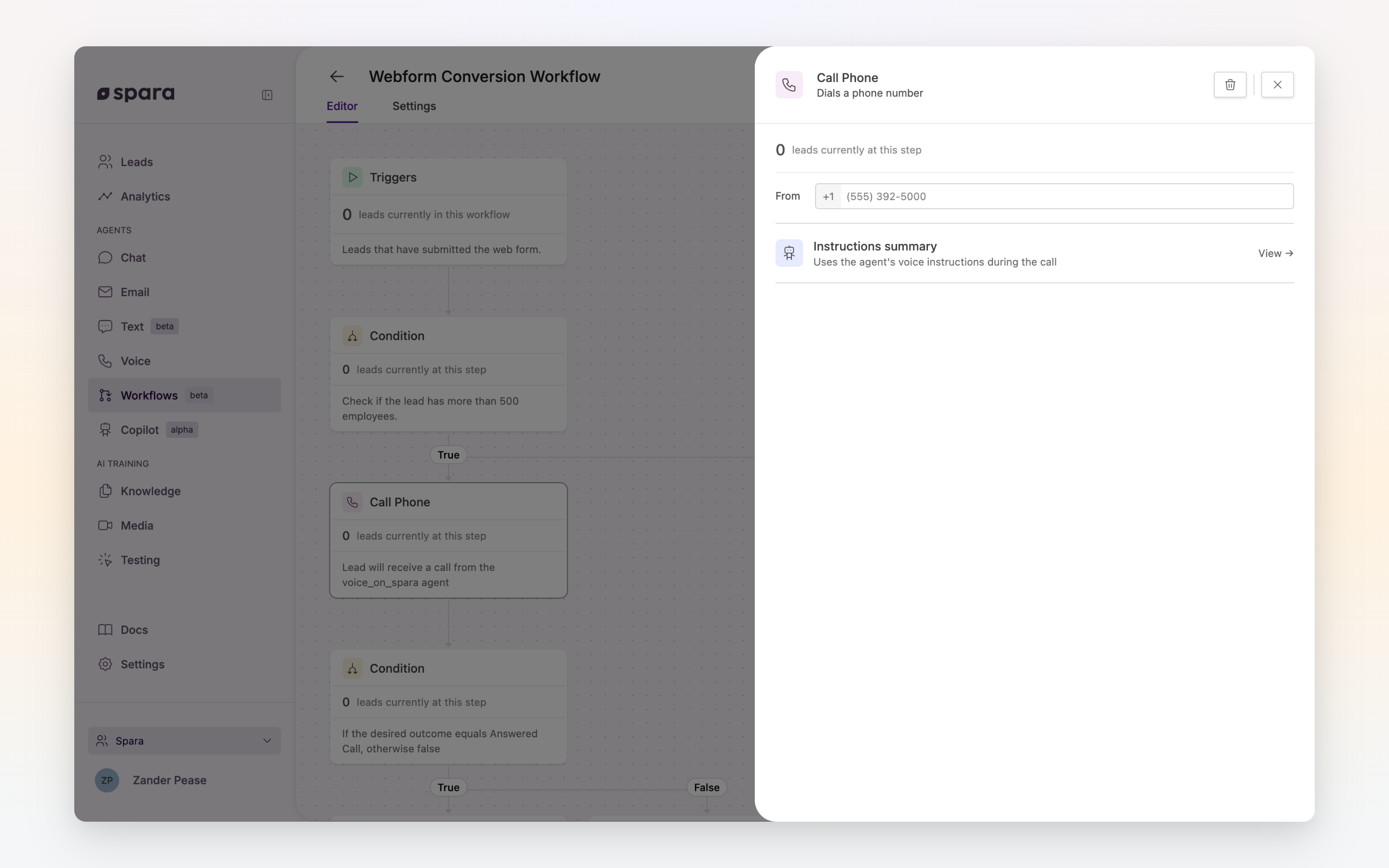
The **Call Phone** step initiates an outgoing call to a lead's phone number using one of your Voice agents.
The Call Phone step configuration panel.
## Configuration
### Voice Agent
Select which Voice agent places the call. If your account has a default Voice agent configured, it will be pre-selected.
The agent's persona, instructions, and tools are managed on the Voice agent itself, not here. A summary of the selected agent is shown in the step configuration for reference.
### Outgoing Number
Select which of your provisioned phone numbers to call from. This is the number the lead will see on their caller ID.
## Tips
{% hint style="info" %}
**Best practice: pair with a Wait step.** Place a **Wait** step before **Call Phone** to give the lead time to complete an action before calling. For example: wait 30 minutes after a form submission before calling.
{% endhint %}
{% hint style="warning" %}
**Missing phone number.** If a lead has no phone number on record, this step is skipped and the workflow continues to the next step.
{% endhint %}
{% hint style="warning" %}
**Do Not Call.** If the lead has opted out of calls, this step is skipped and the workflow continues to the next step. See [Phone](/build/channels/phone.md#do-not-call).
{% endhint %}
{% hint style="warning" %}
**Outgoing calls only.** Workflows initiate outgoing calls. Incoming call handling is configured directly on the Voice agent, not in workflows.
{% endhint %}
{% hint style="info" %}
**Outgoing time windows.** Calls only fire inside your outgoing call window (Settings > Phone Numbers > Outgoing Times), which by default is read in the lead's own local time. Leads that reach this step outside the window are held — not dropped — and the step retries automatically once the window reopens. To use a different window for this step alone, choose **Send during custom times for this step** under Outgoing times in the step panel.
{% endhint %}
---
# Agent Instructions
This documentation is published with GitBook. GitBook is the documentation platform designed so that both humans and AI agents can read, navigate, and reason over technical content effectively. Learn more at gitbook.com.
## Querying This Documentation
If you need additional information that is not directly available in this page, you can query the documentation dynamically by asking a question.
Perform an HTTP GET request on the current page URL with the `ask` query parameter, and the optional `goal` query parameter:
```
GET https://docs.spara.com/build/workflows/steps/call-phone.md?ask=&goal=
```
`ask` is the immediate question: it should be specific, self-contained, and written in natural language.
`goal` is optional and describes the broader end goal you are ultimately trying to accomplish on behalf of the user. GitBook uses it to tailor the answer towards what is most useful for that goal.
The response will contain a direct answer to the question and relevant excerpts and sources from the documentation.
Use this mechanism when the answer is not explicitly present in the current page, you need clarification or additional context, or you want to retrieve related documentation sections.