> For the complete documentation index, see [llms.txt](https://docs.spara.com/llms.txt). Markdown versions of documentation pages are available by appending `.md` to page URLs; this page is available as [Markdown](https://docs.spara.com/build/workflows/steps/research.md).
# Research Step
Run an AI prompt to reason over lead data, research accounts on the web, and extract structured results.
The **Research** step runs a custom instruction against an LLM, with the lead's data as context. It can search the web to learn about a lead or their company, then classify leads, generate personalized content, or extract structured information for use in downstream steps.
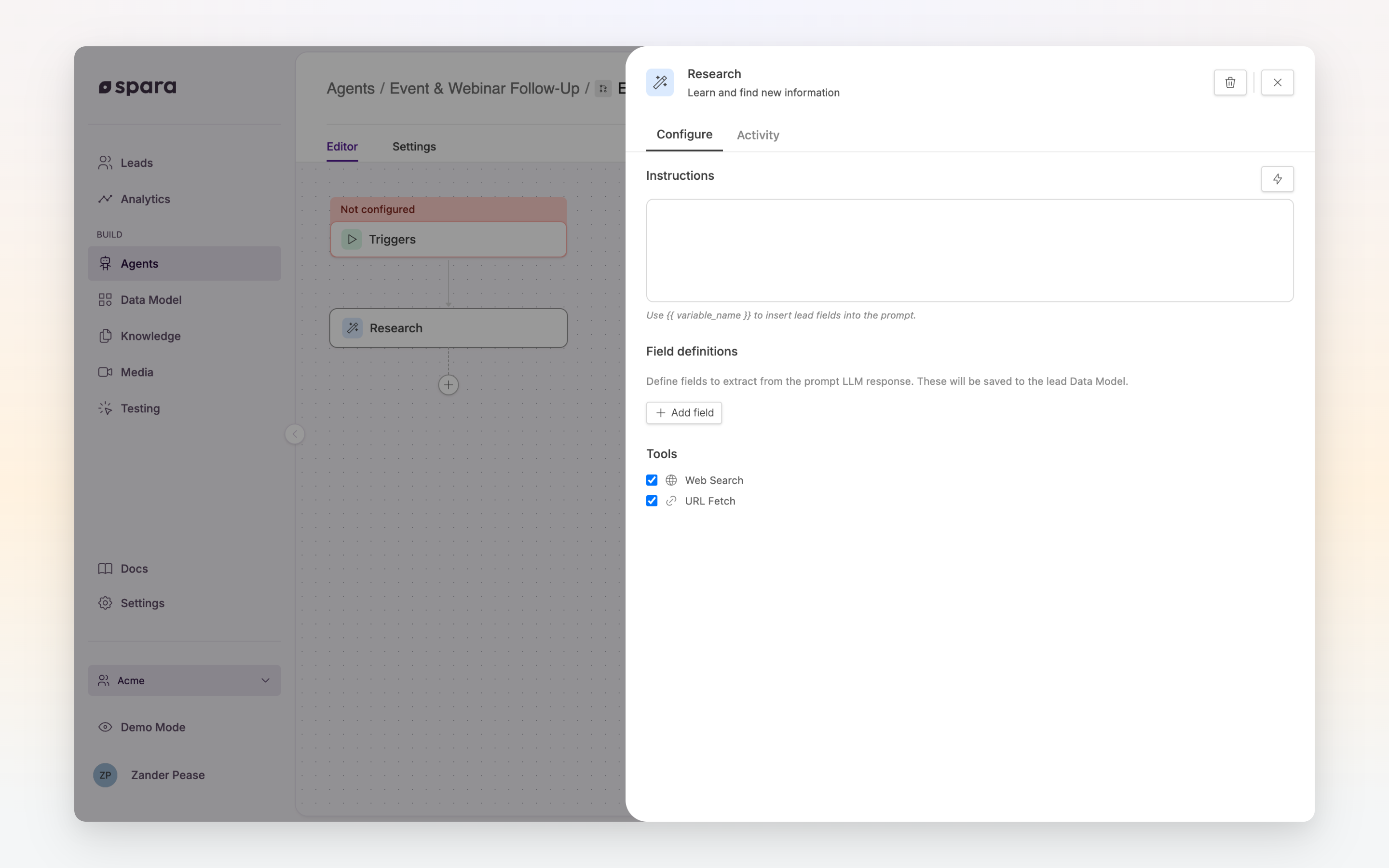
The Research step configuration panel with instructions, field definitions, and tools.
## Configuration
### Instructions
Write the prompt that the LLM will execute. Instructions support variables: use the **Insert menu** (⚡, Variables tab only) to reference lead data fields.
Be specific about what you want the model to produce. If you're extracting structured data, describe the expected output clearly.
**Example instruction:**
```
Based on the lead's job title ({{ job_title }}), company size ({{ employee_count }} employees),
and the pages they visited on our website ({{ pages_visited }}), classify their buying intent
as one of: HIGH, MEDIUM, or LOW.
Return only the classification word with no explanation.
```
### Tools
Optionally enable one or both tools to give the LLM access to live information:
| Tool | What it does |
| -------------- | --------------------------------------------------------------------------- |
| **Web Search** | Allows the LLM to search the internet to research the lead or their company |
| **Fetch URL** | Allows the LLM to retrieve the contents of a specific URL |
These tools are useful for account research steps, for example looking up a company's recent news or fetching their pricing page.
### Field Extraction
Save the LLM's output (or parts of it) into lead fields for use in downstream steps. These become available as workflow-scoped variables.
Add one or more **Fields**:
| Field | Description |
| --------------- | ------------------------------------------------------------ |
| **Name** | The field name (e.g., `buyer_intent`). Use snake\_case. |
| **Description** | Describe what value should be extracted from the LLM output. |
## Example: Intent Classification + Personalized Email
{% stepper %}
{% step %}
#### Research step: classify intent
**Instructions:**
```
Review {{ first_name }}'s activity: they work at {{ company_name }} ({{ employee_count }} employees)
as a {{ job_title }} and visited {{ pages_visited }}. Rate their buying intent: HIGH, MEDIUM, or LOW.
```
**Field Extraction:**
* Name: `buyer_intent`
* Description: The intent classification (HIGH, MEDIUM, or LOW)
{% endstep %}
{% step %}
#### Condition step: branch by intent
* Branch 1: `buyer_intent` equals `HIGH` → Call Phone
* Branch 2: `buyer_intent` equals `MEDIUM` → Send Email
* Branch 3: (catch-all) → Wait 7 days, then Send Email
{% endstep %}
{% step %}
#### Send Email step: reference the extracted field
Subject: `Following up, {{ first_name }}`
Body: `Hi {{ first_name }}, based on your interest in our platform...`
The email content can vary per branch, using `{{ buyer_intent }}` if needed.
{% endstep %}
{% endstepper %}
## Tips
{% hint style="info" %}
**Be explicit in instructions.** LLMs produce more reliable structured output when you specify the exact format you expect. For classification tasks, provide the list of valid values.
{% endhint %}
{% hint style="info" %}
**Use Web Search for account research.** Enabling Web Search lets the model pull current information about a lead's company (recent funding, news, tech stack) to personalize downstream messaging.
{% endhint %}
---
# Agent Instructions
This documentation is published with GitBook. GitBook is the documentation platform designed so that both humans and AI agents can read, navigate, and reason over technical content effectively. Learn more at gitbook.com.
## Querying This Documentation
If you need additional information that is not directly available in this page, you can query the documentation dynamically by asking a question.
Perform an HTTP GET request on the current page URL with the `ask` query parameter, and the optional `goal` query parameter:
```
GET https://docs.spara.com/build/workflows/steps/research.md?ask=&goal=
```
`ask` is the immediate question: it should be specific, self-contained, and written in natural language.
`goal` is optional and describes the broader end goal you are ultimately trying to accomplish on behalf of the user. GitBook uses it to tailor the answer towards what is most useful for that goal.
The response will contain a direct answer to the question and relevant excerpts and sources from the documentation.
Use this mechanism when the answer is not explicitly present in the current page, you need clarification or additional context, or you want to retrieve related documentation sections.