> For the complete documentation index, see [llms.txt](https://docs.spara.com/llms.txt). Markdown versions of documentation pages are available by appending `.md` to page URLs; this page is available as [Markdown](https://docs.spara.com/integrations/signals/bombora.md).
# Bombora (Deanonymization)
Resolve anonymous website visitors to their company with Bombora's firmographic data.
[Bombora](https://bombora.com) is an alternative [Deanonymization](/pipeline/leads/deanonymization.md) provider to [Vector (Deanonymization)](/integrations/signals/vector.md). Where Vector attempts to identify the specific person visiting your site, Bombora resolves the visitor's **company** and describes it with firmographic labels: industry, company size, and revenue, plus the visitor's professional group and seniority band.
Each account uses one deanonymization provider, chosen with your Spara point of contact. Bombora is a good fit when your team acts on account-level signals (which companies are visiting) rather than individual identities.
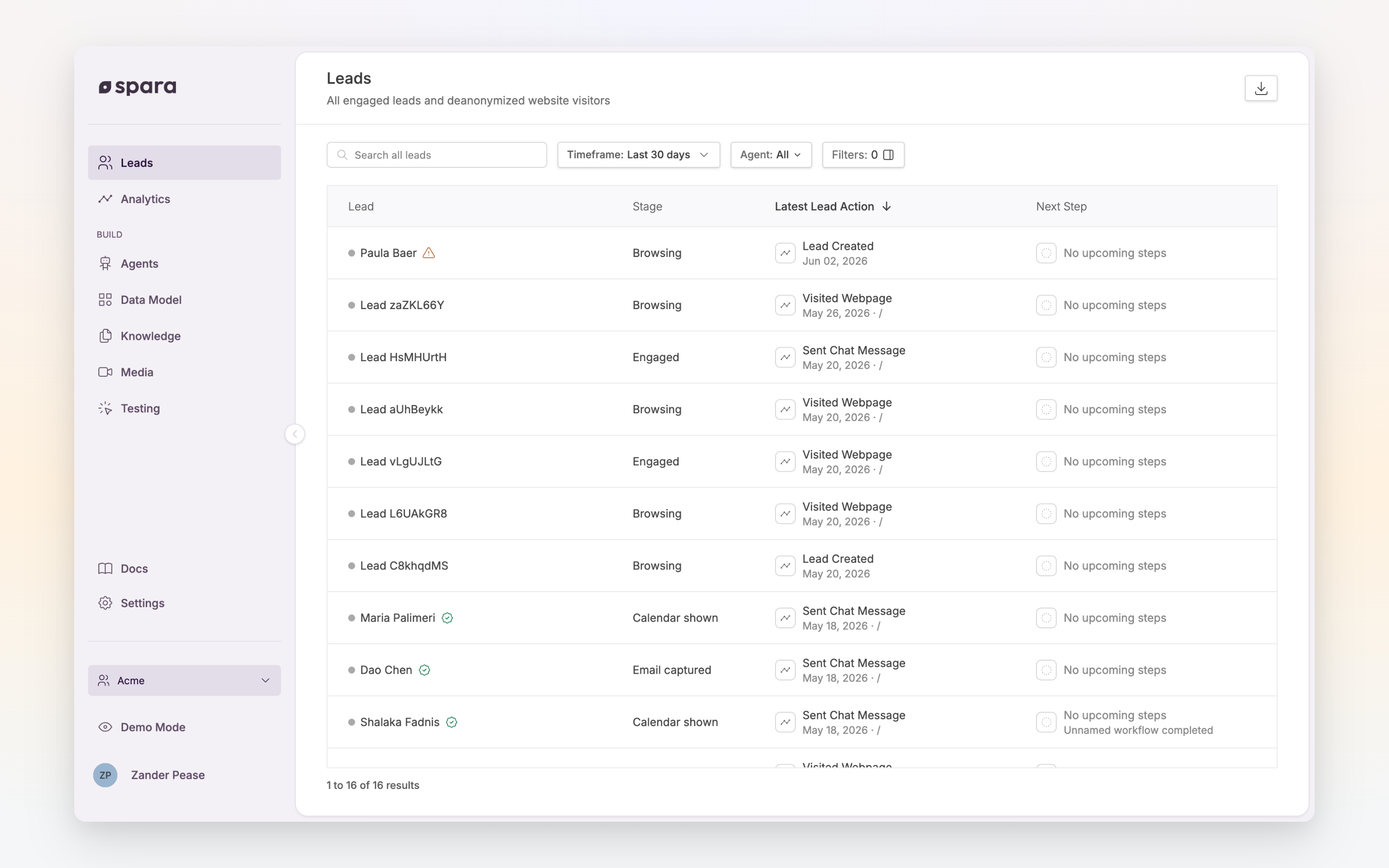
Deanonymized visitors appear on the Leads page alongside self-identified leads.
## Enabling Bombora
Your current provider and trigger mode are visible under **Settings > Signals** in the Spara platform. The settings are managed by Spara: your Spara point of contact enables Bombora for your account.
{% hint style="info" %}
Bombora runs in **All Site Traffic** mode only: it resolves visitors on every page visit, whether or not they engage with chat. This mode carries an additional charge; coordinate with your Spara point of contact.
{% endhint %}
## Fields captured
When Bombora resolves a visitor's company, Spara writes the match to dedicated deanonymization fields on the lead record:
| Field | Description |
| ------------------------------- | -------------------------------------------------------------- |
| Deanonymized Company name | Matched company |
| Deanonymized Company domain | Matched company's website domain |
| Deanonymized Industry | Company's industry (e.g., Finance, Software) |
| Deanonymized Company size | Employee-count band (e.g., "XXLarge (10,000+ Employees)") |
| Deanonymized Revenue | Annual revenue band (e.g., "XXLarge ($1B+)") |
| Deanonymized Professional group | Visitor's professional function (e.g., "Finance Professional") |
| Deanonymized Seniority | Visitor's seniority band (e.g., "C-suite") |
These labels come from Bombora's fixed taxonomy, which is the same vocabulary Spara's condition builders offer as dropdown options. That means Bombora-resolved fields plug directly into workflow conditions and preview targeting without any value mapping on your side.
All fields follow the structure described in [Data Model](/build/data-model.md).
{% hint style="warning" %}
Bombora resolves companies, not people. It does not return the visitor's name, email, or LinkedIn profile. Professional group and seniority describe the visitor in aggregate terms, not their identity. If person-level identification matters more to your team, discuss [Vector (Deanonymization)](/integrations/signals/vector.md) with your Spara point of contact.
{% endhint %}
## Match rates
Bombora identifies at the company level, which resolves at a higher rate than person-level identification: corporate networks and IPs frequently map to a company even when the individual can't be identified. Actual rates depend on your visitor mix; traffic from home networks, mobile carriers, and VPNs is less likely to resolve. Your Spara point of contact can share expected coverage for your audience.
## Using the data
* **Workflow enrollment**: reference Bombora fields in [Workflows](/build/workflows.md) conditions, for example "Deanonymized Company size is XXLarge (10,000+ Employees)", to act on visits from your target segment.
* **CRM syncing**: map deanonymized fields to CRM properties in your [CRM Integrations](/integrations/crm-integrations.md) settings.
* **Lead review**: deanonymized visitors appear on the [**Leads**](https://app.spara.co/leads) page, where the Identification filter separates them from self-identified leads.
## FAQ
### How is Bombora different from Vector?
Vector attempts person-level identity resolution: names, emails, LinkedIn profiles. Bombora resolves the visitor's company and describes it with firmographic bands. Vector answers "who is this?"; Bombora answers "what kind of company is visiting, and what kind of role is this person in?"
### Can I use both Bombora and Vector?
Each account runs one deanonymization provider at a time. Your Spara point of contact can help you choose the right one for your use case.
### Do I need to change my website?
No code changes are needed beyond the standard Spara snippet, which loads Bombora's tag for enabled accounts. As with any third-party data partner, confirm your Privacy Policy and Consent Management Platform (CMP) disclosures with your Spara point of contact.
---
# Agent Instructions
This documentation is published with GitBook. GitBook is the documentation platform designed so that both humans and AI agents can read, navigate, and reason over technical content effectively. Learn more at gitbook.com.
## Querying This Documentation
If you need additional information that is not directly available in this page, you can query the documentation dynamically by asking a question.
Perform an HTTP GET request on the current page URL with the `ask` query parameter, and the optional `goal` query parameter:
```
GET https://docs.spara.com/integrations/signals/bombora.md?ask=&goal=
```
`ask` is the immediate question: it should be specific, self-contained, and written in natural language.
`goal` is optional and describes the broader end goal you are ultimately trying to accomplish on behalf of the user. GitBook uses it to tailor the answer towards what is most useful for that goal.
The response will contain a direct answer to the question and relevant excerpts and sources from the documentation.
Use this mechanism when the answer is not explicitly present in the current page, you need clarification or additional context, or you want to retrieve related documentation sections.